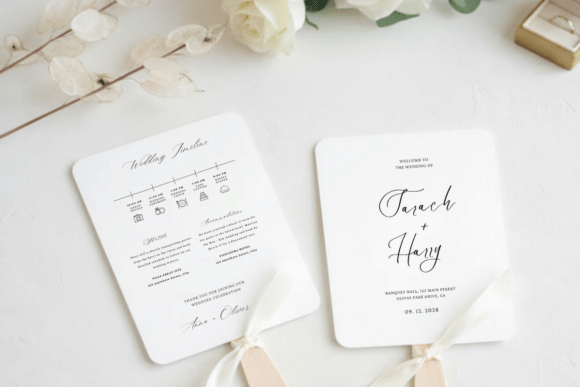
Creating a Seamless Wedding Experience with the Wedding Program Timeline Fan Template
Planning a wedding involves a myriad of details, from choosing the perfect venue to selecting the right decorations. One often overlooked but crucial element is the wedding program. A well-crafted wedding program not only guides your guests through the ceremony but also adds a touch of elegance and personalization to your special day. The Wedding Program Timeline Fan Template is a digital tool designed to help you create a beautiful, functional, and personalized wedding program.
Understanding the Wedding Program Timeline Fan Template
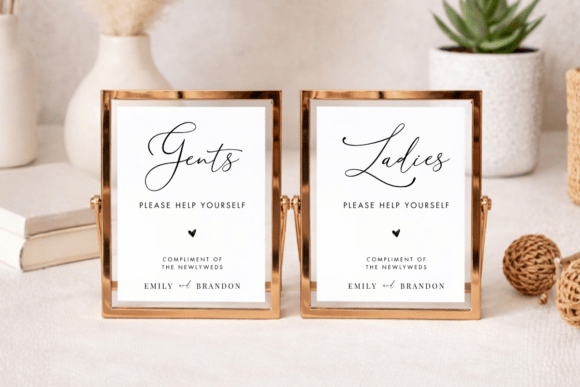
The Wedding Program Timeline Fan Template is a 5 x 7 inches digital template that comes in PDF format. It includes a Canva link, making it fully editable and easy to customize. This template is ideal for couples who want a professional yet personal touch to their wedding stationery without the hassle of starting from scratch.
Key Features of the Template
- Fully Editable: All text on this design is editable, allowing you to adjust the wording, font, color, size, and placement to match your wedding theme.
- Add New Text Boxes: You can add new text boxes to include additional information or special messages.
- Customize with Images: Add your logo, photos, or other images to make the program uniquely yours.
- Ready to Print: Once customized, the template is ready to be printed, either at home or at a professional print center.
Integrating the Wedding Program Timeline Fan Template into Your Wedding Planning
Incorporating the Wedding Program Timeline Fan Template into your wedding planning process can streamline your workflow and ensure that your guests have a memorable experience. Here’s how you can integrate it smoothly:
Pre-Wedding Preparation
Before the big day, take some time to brainstorm the content you want to include in your wedding program. Consider the following:
- Ceremony Details: Outline the sequence of events, including readings, music, and key moments.
- Personal Touches: Add a welcome message, a thank you note, or a brief history of your relationship.
- Practical Information: Include directions to the reception, parking information, and any other logistical details.
Customizing the Template
Once you have your content ready, follow these steps to customize the template:
- Purchase and Download: After purchasing the template, download the PDF provided with instructions for accessing your Canva template.
- Access Canva: Follow the prompts to log in or sign up for Canva. Signing up is free, and the platform is user-friendly.
- Edit the Template: Use the online editor on your phone, tablet, or computer to make all necessary edits. You can change the text, add images, and adjust the layout to fit your vision.
- Download and Print: Once you are satisfied with the design, download your final design file in JPEG or PDF format. For the best results, we recommend printing on heavy-weight, high-quality white card stock paper. If printing at home, set your printer settings to the highest quality.
Using the Wedding Program on the Big Day
On your wedding day, distribute the programs to your guests as they arrive. Place them in a visible location, such as a table near the entrance or hand them out by ushers. This not only helps guide your guests through the ceremony but also adds a thoughtful and elegant touch to the event.
Maximizing the Impact of Your Wedding Program
To make the most of your Wedding Program Timeline Fan Template, consider the following tips:
- Consistency: Ensure that the design and style of your wedding program align with your overall wedding theme. This consistency creates a cohesive and polished look.
- Quality Control: Before printing in bulk, do a test print to check for any errors or issues. This step ensures that the final product meets your standards.
- Engage Your Guests: Use the program to engage your guests by including fun facts about the couple, a timeline of your relationship, or a heartfelt message. This personal touch makes the program more meaningful and memorable.
Conclusion
The Wedding Program Timeline Fan Template is a valuable tool for creating a beautiful and functional wedding program. By integrating it into your wedding planning process, you can ensure that your guests have a seamless and enjoyable experience. With its ease of use and customization options, this template is a must-have for any couple looking to add a personal and professional touch to their wedding stationery.